

『G1/4 Flow Meter Integration: Visual and Electronic Flow Rate Tracking for Gaming Computer Loops』Related information(v cone flow meter|rotary gas meter|gallon meter|gear meter|metal tube rotameter|glass tube rotameter|nutating disk meter|transit time ultrasonic flow meter|wedge flow meter|pd meters|hydraulic flow meter|ultrasonic water flow meter|water flow meter|air flow meter|magnetic water flow meter|oxygen flow meter|gas flow meter|argon flow meter|air velocity meter|gasoline flow meter|fuel flow meter|ultrasonic water meter|digital water meter|nitrogen flow meter|solid flow meter|Oxygen tank flow meter|digital water flow meter|diesel fuel flow meter|steam flow meter|02 flow meter|compressed air flow meter|oil flow meter|liquid flow meter)
G1/4 Flow Meter Integration: Visual and Electronic Flow Rate Tracking for Gaming Computer Loops
Quick Answer: A G1/4 flow meter with a clear rotor window and a pulse output gives you both a visual check and electronic data for a gaming PC cooling loop. Silver Instruments supplies compact flow meters with G1/4 BSPP threads. The standard range covers 0.5 to 10 L/min. The K factor is around 180 pulses per litre. This setup helps you detect pump failure, clogged blocks, or air pockets before coolant temperature spikes.
Why a Gaming Loop Needs a G1/4 Flow Meter
Most PC water cooling loops run between 2 and 8 L/min. If flow drops below 1 L/min, heat transfer falls quickly. CPU and GPU temperatures climb. A visual rotor can show that coolant is moving. But a rotor alone will not alert you at 3 a.m. That is why an electronic pulse output matters.
We have seen this on customer sites many times. A small drop in pump speed does not trigger a fan alarm. The motherboard keeps reporting a healthy pump tach signal. The coolant flow can be half of normal while the pump still spins. A G1/4 flow meter with electronic tracking catches this early.
What Fits a Gaming Loop
G1/4 is a BSPP parallel thread standard. It is common in water cooling fittings. Silver Instruments builds compact turbine flow meters with G1/4 male ports. The meter body can be brass, stainless steel, or POM. POM is often preferred for clean loops because it is light and does not add metal ions.
The typical measuring range for a gaming loop is 0.5 to 10 L/min. Accuracy is around plus or minus 2 percent of full scale. The pressure drop is low, usually under 0.2 bar at 8 L/min. This matters because a high restriction meter can reduce flow enough to hurt cooling.
Visual and Electronic Tracking in Parallel
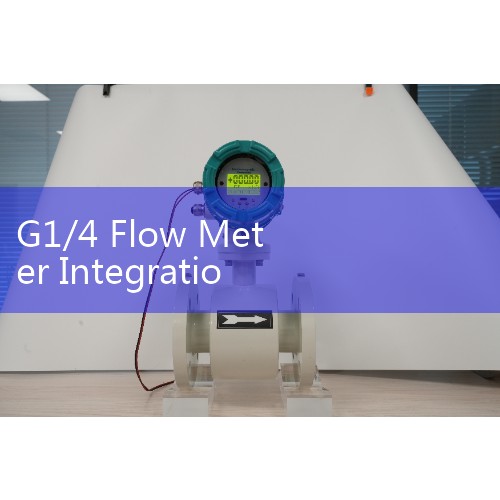
Put the meter in a visible spot. A clear rotor gives you a fast sanity check during maintenance. For electronic tracking, the pulse output connects to a fan header or a microcontroller. Most Silver Instruments G1/4 meters send a square wave pulse. The frequency is proportional to flow rate. You can read the pulse count with an Arduino, ESP32, Raspberry Pi, or Aquaero.
In practice, many users connect the pulse wire to a spare motherboard fan header. You need a pull up resistor if the sensor is open collector. Set the monitoring software to treat the signal as a fan RPM input. Then convert the frequency to litres per minute using the K factor. A typical K factor is 180 pulses per litre. So 540 pulses per minute equals 3 L/min. Simple math, but it gives you historical data.
Installation Details That Matter
Mount the meter in the return line after the CPU and GPU blocks. This location gives you a stable reading with less air. Keep a short straight section before the meter. For a small G1/4 line, 10 pipe diameters of straight inlet is enough. Do not place the meter directly after a sharp elbow or a pump outlet.
Air bubble
Case from Southeast Asia
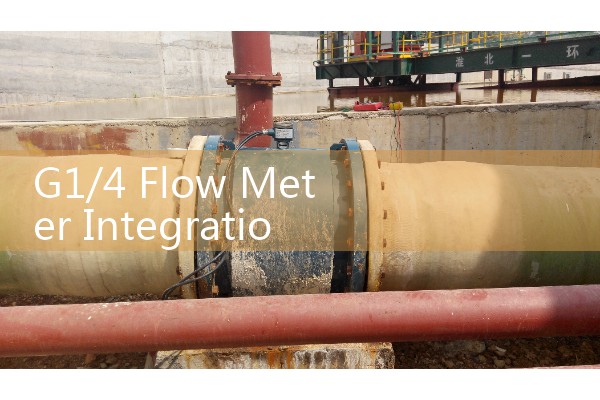
A gaming PC builder in Malaysia ordered 200 G1/4 flow meters for a line of custom water cooled workstations. The customer needed both visual and electronic outputs. They used the pulse signal in a monitoring dashboard. A drop below 1.2 L/min triggers a warning in the workshop software. Last year we also shipped evaluation units to a distributor in Vietnam for a sim racing cockpit project. In that case the loop included a radiator fan bank and a small pump. The flow meter helped them find a kinked hose before the CPU reached thermal throttle.
Recommended Starting Point
For most gaming loops, start with a compact turbine meter with G1/4 BSPP threads, a 0.5 to 10 L/min range, and a pulse output. The Silver Instruments model SI-G14T-05 fits this profile. It has a clear rotor cover, POM body, and EPDM O rings. If you need a 4 to 20 mA output or a digital display, that can be configured. Send us your loop flow range, coolant type, and available straight pipe length. We will recommend a meter and send a price quote.
You can reach Silver Automation Instruments at Tel +86-25-68650347, WhatsApp +86-25-52155837, or WeChat +86 15365082610.
FAQ
What flow range do I need for a gaming PC loop?
Most loops run 2 to 8 L/min. A meter rated 0.5 to 10 L/min gives enough margin for idle and full load.
Will a G1/4 flow meter restrict flow?
A well designed turbine meter adds a small pressure drop. At 8 L/min the drop is usually below 0.2 bar. That is acceptable for most DDC or D5 pumps.
Can I connect the pulse output directly to a motherboard fan header?
Yes, if the meter has a pulse output. Confirm the output type first. Use a pull up resistor if needed. Then treat the pulse train as a fan tach signal in the BIOS or monitoring software.
Is the flow meter compatible with ethylene glycol coolants?
It depends on the seal and body material. Ask for EPDM O rings and a POM or stainless body. Do not use aluminum with copper based coolants.
How do I get a price for a custom G1/4 flow meter?
Send us your loop flow range in L/min, coolant mixture, fitting material preference, and required output. Use WhatsApp at +86-25-52155837 or WeChat at +86 15365082610. You can also call +86-25-68650347.
Silver Automation Instruments supplies industrial flow meters and process instruments. We support customers in Southeast Asia, Oceania, Latin America, Africa, and the Middle East. The same flow measurement principles used in chemical dosing and water treatment scale down to PC cooling loops without losing accuracy.
 Hot Product
 Related AD